Breeder layouts...
Arabian Horse
For this layout use this HTML code: <div align="center"><TABLE align="center" bgcolor="#000000" width="550">
<TBODY>
<TR>
<TD colSpan="5"> </TD>
</TR>
<TR>
<TD colSpan="5"><div align="center"><IMG src=http://i1186.photobucket.com/albums/z379/Abi_Apricot/palostally.jpg width="510"></div></TD></TR>
<TR>
<TD colSpan="5"> </TD></TR>
<TR>
<TD width="15"> </TD>
<TD width="45%" bgcolor="#FFFFFF"><p align="center"><font face="Comic Sans MS" size="+3" color="#0000FF"><b>Your title here</b></font></p>
<div style="overflow:auto; height:200px; padding: 20px;"><font face="Arial" color="#000000">Put
your own text here to fill out the box. This is where you can put in
images, glitter text, avatars and text. Use different fonts and write
about yourself and your horses. You can use the ready made
layouts for your personal profile page and also for your equestrian
center profile. Remember not to put any personal information here and to
stay safe on the web. Once you have generated your layout you can
easily change the image and overwrite the text. If you want to it is
easy to generate a whole new layout. If you get an error message when
you save your presentation click on save again. If this still does not
work generate a new layout and make sure you choose all the options.</FONT></DIV></TD>
<TD width="15"> </TD>
<TD bgcolor="#FFFFFF"><p align="center"><font face="Comic Sans MS" size="+3" color="#0000FF"><b>Your title here</b></font></p>
<div style="overflow:auto; height:200px; padding: 20px;"><font face="Arial" color="#000000">You can easily change your Howrse profile.
To
go to your page use the following Howrse menu links - profile, my page.
On the right hand side you will see the links to change your
presentation. You can modify - change, reinitialize - start again or set
out the display options you want - width and height of your
presentation. As you have the HTML code for your layout you will need to
change the edit mode BEFORE you paste your layout code. Over on the
right hand side by the smiley faces is a green HTML mode edit button.
Click on this before you paste your layout code and you will be taken to
a new page. This shows the html edit mode page - notice that the Howrse
edit icons at the top and the smiley faces have disappeared. Now you
can paste your layout HTML code and save the presentation. If when you
save your layout all you can see is code then you have pasted in the
wrong place. You need to be in the correct HTML edit mode.</FONT></DIV></TD>
<TD width="15"> </TD> </TR>
<TR>
<TD colSpan="5"> </TD></TR>
<TR>
<TD width="15"> </TD>
<TD colSpan="3" bgcolor="#FFFFFF"><p align="center"><font face="Comic Sans MS" size="+3" color="#0000FF"><b>Your title here</b></font></p>
<div style="overflow:auto; height:170px; padding: 20px;"><font face="Arial" color="#000000">Put
your own text here to fill out the box. This is where you can put in
images, glitter text, avatars and text. Use different fonts and write
about yourself and your horses. You can use the ready made
layouts for your personal profile page and also for your equestrian
center profile. Remember not to put any personal information here and to
stay safe on the web. Once you have generated your layout you can
easily change the image and overwrite the text. If you want to it is
easy to generate a whole new layout. If you get an error message when
you save your presentation click on save again. If this still does not
work generate a new layout and make sure you choose all the options.</FONT></DIV></TD>
<TD width="15"> </TD> </TR>
<TR>
<TD colSpan="5"> </TD>
</TR>
<TR>
<TD> </TD>
<TD colSpan="3" bgcolor="#FFFFFF"><div align="center"><font face="Comic Sans MS" size="-1" color="#0000FF"><b>Layout courtesy of *C.heckerz*</b></font></div></td>
<td></td></TR>
<TR>
<TD colSpan="5"> </TD></TR>
</TBODY></TABLE></div>
 | ||||
Your title here Put your own text here to fill out the box. This is where you can put in images, glitter text, avatars and text. Use different fonts and write about yourself and your horses. You can use the howrseinfo ready made layouts for your personal profile page and also for your equestrian center profile. Remember not to put any personal information here and to stay safe on the web. Once you have generated your layout you can easily change the image and overwrite the text. If you want to it is easy to generate a whole new layout. If you get an error message when you save your presentation click on save again. If this still does not work generate a new layout and make sure you choose all the options. |
Your title here You can easily change your Howrse profile.
To go to your page use the following Howrse menu links - profile, my page. On the right hand side you will see the links to change your presentation. You can modify - change, reinitialize - start again or set out the display options you want - width and height of your presentation. As you have the HTML code for your layout you will need to change the edit mode BEFORE you paste your layout code. Over on the right hand side by the smiley faces is a green HTML mode edit button. Click on this before you paste your layout code and you will be taken to a new page. This shows the html edit mode page - notice that the Howrse edit icons at the top and the smiley faces have disappeared. Now you can paste your layout HTML code and save the presentation. If when you save your layout all you can see is code then you have pasted in the wrong place. You need to be in the correct HTML edit mode. |
|||
Your title here Put your own text here to fill out the box. This is where you can put in images, glitter text, avatars and text. Use different fonts and write about yourself and your horses. You can use the howrseinfo ready made layouts for your personal profile page and also for your equestrian center profile. Remember not to put any personal information here and to stay safe on the web. Once you have generated your layout you can easily change the image and overwrite the text. If you want to it is easy to generate a whole new layout. If you get an error message when you save your presentation click on save again. If this still does not work generate a new layout and make sure you choose all the options. |
||||
Layout courtesy of *C.heckerz* |
||||
Appaloosa Horse
For this layout use this HTML: <div align="center"><TABLE align="center" bgcolor="#0033CC" width="550">
<TBODY>
<TR>
<TD colSpan="5"> </TD>
</TR>
<TR>
<TD colSpan="5"><div align="center"><IMG src=http://i1186.photobucket.com/albums/z379/Abi_Apricot/proudappy.jpg width=""></div></TD></TR>
<TR>
<TD colSpan="5"> </TD></TR>
<TR>
<TD width="15"> </TD>
<TD width="45%" bgcolor="#FFFFCC"><p align="center"><font face="Comic Sans MS" size="+3" color="#66CCFF"><b>Your title here</b></font></p>
<div style="overflow:auto; height:200px; padding: 20px;"><font face="Arial" color="#006666">Put your own text here to fill out the box. This is where you can put in images, glitter text, avatars and text. Use different fonts and write about yourself and your horses. You can use the ready made layouts for your personal profile page and also for your equestrian center profile. Remember not to put any personal information here and to stay safe on the web. Once you have generated your layout you can easily change the image and overwrite the text. If you want to it is easy to generate a whole new layout. If you get an error message when you save your presentation click on save again. If this still does not work generate a new layout and make sure you choose all the options.</FONT></DIV></TD>
<TD width="15"> </TD>
<TD bgcolor="#FFFFCC"><p align="center"><font face="Comic Sans MS" size="+3" color="#66CCFF"><b>Your title here</b></font></p>
<div style="overflow:auto; height:200px; padding: 20px;"><font face="Arial" color="#006666">You can easily change your Howrse profile.
To go to your page use the following Howrse menu links - profile, my page. On the right hand side you will see the links to change your presentation. You can modify - change, reinitialize - start again or set out the display options you want - width and height of your presentation. As you have the HTML code for your layout you will need to change the edit mode BEFORE you paste your layout code. Over on the right hand side by the smiley faces is a green HTML mode edit button. Click on this before you paste your layout code and you will be taken to a new page. This shows the html edit mode page - notice that the Howrse edit icons at the top and the smiley faces have disappeared. Now you can paste your layout HTML code and save the presentation. If when you save your layout all you can see is code then you have pasted in the wrong place. You need to be in the correct HTML edit mode.</FONT></DIV></TD>
<TD width="15"> </TD> </TR>
<TR>
<TD colSpan="5"> </TD></TR>
<TR>
<TD width="15"> </TD>
<TD colSpan="3" bgcolor="#FFFFCC"><p align="center"><font face="Comic Sans MS" size="+3" color="#66CCFF"><b>Your title here</b></font></p>
<div style="overflow:auto; height:170px; padding: 20px;"><font face="Arial" color="#006666">Put your own text here to fill out the box. This is where you can put in images, glitter text, avatars and text. Use different fonts and write about yourself and your horses. You can use the ready made layouts for your personal profile page and also for your equestrian center profile. Remember not to put any personal information here and to stay safe on the web. Once you have generated your layout you can easily change the image and overwrite the text. If you want to it is easy to generate a whole new layout. If you get an error message when you save your presentation click on save again. If this still does not work generate a new layout and make sure you choose all the options.</FONT></DIV></TD>
<TD width="15"> </TD> </TR>
<TR>
<TD colSpan="5"> </TD>
</TR>
<TR>
<TD> </TD>
<TD colSpan="3" bgcolor="#FFFFCC"><div align="center"><font face="Comic Sans MS" size="-1" color="#66CCFF"><b>Layout courtesy of *C.heckerz*</b></font></div></td>
<td></td></TR>
<TR>
<TD colSpan="5"> </TD></TR>
</TBODY></TABLE></div>
 | ||||
Your title here Put your own text here to fill out the box. This is where you can put in images, glitter text, avatars and text. Use different fonts and write about yourself and your horses. You can use the howrseinfo ready made layouts for your personal profile page and also for your equestrian center profile. Remember not to put any personal information here and to stay safe on the web. Once you have generated your layout you can easily change the image and overwrite the text. If you want to it is easy to generate a whole new layout. If you get an error message when you save your presentation click on save again. If this still does not work generate a new layout and make sure you choose all the options. |
Your title here You can easily change your Howrse profile.
To go to your page use the following Howrse menu links - profile, my page. On the right hand side you will see the links to change your presentation. You can modify - change, reinitialize - start again or set out the display options you want - width and height of your presentation. As you have the HTML code for your layout you will need to change the edit mode BEFORE you paste your layout code. Over on the right hand side by the smiley faces is a green HTML mode edit button. Click on this before you paste your layout code and you will be taken to a new page. This shows the html edit mode page - notice that the Howrse edit icons at the top and the smiley faces have disappeared. Now you can paste your layout HTML code and save the presentation. If when you save your layout all you can see is code then you have pasted in the wrong place. You need to be in the correct HTML edit mode. |
|||
Your title here Put your own text here to fill out the box. This is where you can put in images, glitter text, avatars and text. Use different fonts and write about yourself and your horses. You can use the howrseinfo ready made layouts for your personal profile page and also for your equestrian center profile. Remember not to put any personal information here and to stay safe on the web. Once you have generated your layout you can easily change the image and overwrite the text. If you want to it is easy to generate a whole new layout. If you get an error message when you save your presentation click on save again. If this still does not work generate a new layout and make sure you choose all the options. |
||||
Layout courtesy of *C.heckerz* |
||||
Brumby Pony
For this layout use this HTML: <div align="center"><TABLE align="center" bgcolor="#660000" width="550">
<TBODY>
<TR>
<TD colSpan="5"> </TD>
</TR>
<TR>
<TD colSpan="5"><div align="center"><IMG src=http://i1186.photobucket.com/albums/z379/Abi_Apricot/australian-brumby-5.jpg width="510"></div></TD></TR>
<TR>
<TD colSpan="5"> </TD></TR>
<TR>
<TD width="15"> </TD>
<TD width="45%" bgcolor="#FFFFCC"><p align="center"><font face="Comic Sans MS" size="+3" color="#666633"><b>Your title here</b></font></p>
<div style="overflow:auto; height:200px; padding: 20px;"><font face="Arial" color="#99CCFF">Put your own text here to fill out the box. This is where you can put in images, glitter text, avatars and text. Use different fonts and write about yourself and your horses. You can use the ready made layouts for your personal profile page and also for your equestrian center profile. Remember not to put any personal information here and to stay safe on the web. Once you have generated your layout you can easily change the image and overwrite the text. If you want to it is easy to generate a whole new layout. If you get an error message when you save your presentation click on save again. If this still does not work generate a new layout and make sure you choose all the options.</FONT></DIV></TD>
<TD width="15"> </TD>
<TD bgcolor="#FFFFCC"><p align="center"><font face="Comic Sans MS" size="+3" color="#666633"><b>Your title here</b></font></p>
<div style="overflow:auto; height:200px; padding: 20px;"><font face="Arial" color="#99CCFF">You can easily change your Howrse profile.
To go to your page use the following Howrse menu links - profile, my page. On the right hand side you will see the links to change your presentation. You can modify - change, reinitialize - start again or set out the display options you want - width and height of your presentation. As you have the HTML code for your layout you will need to change the edit mode BEFORE you paste your layout code. Over on the right hand side by the smiley faces is a green HTML mode edit button. Click on this before you paste your layout code and you will be taken to a new page. This shows the html edit mode page - notice that the Howrse edit icons at the top and the smiley faces have disappeared. Now you can paste your layout HTML code and save the presentation. If when you save your layout all you can see is code then you have pasted in the wrong place. You need to be in the correct HTML edit mode.</FONT></DIV></TD>
<TD width="15"> </TD> </TR>
<TR>
<TD colSpan="5"> </TD></TR>
<TR>
<TD width="15"> </TD>
<TD colSpan="3" bgcolor="#FFFFCC"><p align="center"><font face="Comic Sans MS" size="+3" color="#666633"><b>Your title here</b></font></p>
<div style="overflow:auto; height:170px; padding: 20px;"><font face="Arial" color="#99CCFF">Put your own text here to fill out the box. This is where you can put in images, glitter text, avatars and text. Use different fonts and write about yourself and your horses. You can use the ready made layouts for your personal profile page and also for your equestrian center profile. Remember not to put any personal information here and to stay safe on the web. Once you have generated your layout you can easily change the image and overwrite the text. If you want to it is easy to generate a whole new layout. If you get an error message when you save your presentation click on save again. If this still does not work generate a new layout and make sure you choose all the options.</FONT></DIV></TD>
<TD width="15"> </TD> </TR>
<TR>
<TD colSpan="5"> </TD>
</TR>
<TR>
<TD> </TD>
<TD colSpan="3" bgcolor="#FFFFCC"><div align="center"><font face="Comic Sans MS" size="-1" color="#666633"><b>Layout courtesy of *C.heckerz*</b></font></div></td>
<td></td></TR>
<TR>
<TD colSpan="5"> </TD></TR>
</TBODY></TABLE></div>
 | ||||
Your title here Put your own text here to fill out the box. This is where you can put in images, glitter text, avatars and text. Use different fonts and write about yourself and your horses. You can use the howrseinfo ready made layouts for your personal profile page and also for your equestrian center profile. Remember not to put any personal information here and to stay safe on the web. Once you have generated your layout you can easily change the image and overwrite the text. If you want to it is easy to generate a whole new layout. If you get an error message when you save your presentation click on save again. If this still does not work generate a new layout and make sure you choose all the options. |
Your title here You can easily change your Howrse profile.
To go to your page use the following Howrse menu links - profile, my page. On the right hand side you will see the links to change your presentation. You can modify - change, reinitialize - start again or set out the display options you want - width and height of your presentation. As you have the HTML code for your layout you will need to change the edit mode BEFORE you paste your layout code. Over on the right hand side by the smiley faces is a green HTML mode edit button. Click on this before you paste your layout code and you will be taken to a new page. This shows the html edit mode page - notice that the Howrse edit icons at the top and the smiley faces have disappeared. Now you can paste your layout HTML code and save the presentation. If when you save your layout all you can see is code then you have pasted in the wrong place. You need to be in the correct HTML edit mode. |
|||
Your title here Put your own text here to fill out the box. This is where you can put in images, glitter text, avatars and text. Use different fonts and write about yourself and your horses. You can use the howrseinfo ready made layouts for your personal profile page and also for your equestrian center profile. Remember not to put any personal information here and to stay safe on the web. Once you have generated your layout you can easily change the image and overwrite the text. If you want to it is easy to generate a whole new layout. If you get an error message when you save your presentation click on save again. If this still does not work generate a new layout and make sure you choose all the options. |
||||
Layout courtesy of *C.heckerz* |
||||
Connemara Pony
For this layout use this HTML: <div align="center"><TABLE align="center" bgcolor="#006666" width="550">
<TBODY>
<TR>
<TD colSpan="5"> </TD>
</TR>
<TR>
<TD colSpan="5"><div align="center"><IMG src=http://i1186.photobucket.com/albums/z379/Abi_Apricot/connie.jpg width="510"></div></TD></TR>
<TR>
<TD colSpan="5"> </TD></TR>
<TR>
<TD width="15"> </TD>
<TD width="45%" bgcolor="#FFFFFF"><p align="center"><font face="Comic Sans MS" size="+3" color="#00FFFF"><b>Your title here</b></font></p>
<div style="overflow:auto; height:200px; padding: 20px;"><font face="Arial" color="#CCFF33">Put your own text here to fill out the box. This is where you can put in images, glitter text, avatars and text. Use different fonts and write about yourself and your horses. You can use the ready made layouts for your personal profile page and also for your equestrian center profile. Remember not to put any personal information here and to stay safe on the web. Once you have generated your layout you can easily change the image and overwrite the text. If you want to it is easy to generate a whole new layout. If you get an error message when you save your presentation click on save again. If this still does not work generate a new layout and make sure you choose all the options.</FONT></DIV></TD>
<TD width="15"> </TD>
<TD bgcolor="#FFFFFF"><p align="center"><font face="Comic Sans MS" size="+3" color="#00FFFF"><b>Your title here</b></font></p>
<div style="overflow:auto; height:200px; padding: 20px;"><font face="Arial" color="#CCFF33">You can easily change your Howrse profile.
To go to your page use the following Howrse menu links - profile, my page. On the right hand side you will see the links to change your presentation. You can modify - change, reinitialize - start again or set out the display options you want - width and height of your presentation. As you have the HTML code for your layout you will need to change the edit mode BEFORE you paste your layout code. Over on the right hand side by the smiley faces is a green HTML mode edit button. Click on this before you paste your layout code and you will be taken to a new page. This shows the html edit mode page - notice that the Howrse edit icons at the top and the smiley faces have disappeared. Now you can paste your layout HTML code and save the presentation. If when you save your layout all you can see is code then you have pasted in the wrong place. You need to be in the correct HTML edit mode.</FONT></DIV></TD>
<TD width="15"> </TD> </TR>
<TR>
<TD colSpan="5"> </TD></TR>
<TR>
<TD width="15"> </TD>
<TD colSpan="3" bgcolor="#FFFFFF"><p align="center"><font face="Comic Sans MS" size="+3" color="#00FFFF"><b>Your title here</b></font></p>
<div style="overflow:auto; height:170px; padding: 20px;"><font face="Arial" color="#CCFF33">Put your own text here to fill out the box. This is where you can put in images, glitter text, avatars and text. Use different fonts and write about yourself and your horses. You can use the ready made layouts for your personal profile page and also for your equestrian center profile. Remember not to put any personal information here and to stay safe on the web. Once you have generated your layout you can easily change the image and overwrite the text. If you want to it is easy to generate a whole new layout. If you get an error message when you save your presentation click on save again. If this still does not work generate a new layout and make sure you choose all the options.</FONT></DIV></TD>
<TD width="15"> </TD> </TR>
<TR>
<TD colSpan="5"> </TD>
</TR>
<TR>
<TD> </TD>
<TD colSpan="3" bgcolor="#FFFFFF"><div align="center"><font face="Comic Sans MS" size="-1" color="#00FFFF"><b>Layout courtesy of *C.heckerz*</b></font></div></td>
<td></td></TR>
<TR>
<TD colSpan="5"> </TD></TR>
</TBODY></TABLE></div>
 | ||||
Your title here Put your own text here to fill out the box. This is where you can put in images, glitter text, avatars and text. Use different fonts and write about yourself and your horses. You can use the howrseinfo ready made layouts for your personal profile page and also for your equestrian center profile. Remember not to put any personal information here and to stay safe on the web. Once you have generated your layout you can easily change the image and overwrite the text. If you want to it is easy to generate a whole new layout. If you get an error message when you save your presentation click on save again. If this still does not work generate a new layout and make sure you choose all the options. |
Your title here You can easily change your Howrse profile.
To go to your page use the following Howrse menu links - profile, my page. On the right hand side you will see the links to change your presentation. You can modify - change, reinitialize - start again or set out the display options you want - width and height of your presentation. As you have the HTML code for your layout you will need to change the edit mode BEFORE you paste your layout code. Over on the right hand side by the smiley faces is a green HTML mode edit button. Click on this before you paste your layout code and you will be taken to a new page. This shows the html edit mode page - notice that the Howrse edit icons at the top and the smiley faces have disappeared. Now you can paste your layout HTML code and save the presentation. If when you save your layout all you can see is code then you have pasted in the wrong place. You need to be in the correct HTML edit mode. |
|||
Your title here Put your own text here to fill out the box. This is where you can put in images, glitter text, avatars and text. Use different fonts and write about yourself and your horses. You can use the howrseinfo ready made layouts for your personal profile page and also for your equestrian center profile. Remember not to put any personal information here and to stay safe on the web. Once you have generated your layout you can easily change the image and overwrite the text. If you want to it is easy to generate a whole new layout. If you get an error message when you save your presentation click on save again. If this still does not work generate a new layout and make sure you choose all the options. |
||||
Layout courtesy of *C.heckerz* |
||||
Thoroughbred Horse
For this layout use this HTML: <div align="center"><TABLE align="center" bgcolor="#FFFFFF" width="550">
<TBODY>
<TR>
<TD colSpan="5"> </TD>
</TR>
<TR>
<TD colSpan="5"><div align="center"><IMG src=http://i1186.photobucket.com/albums/z379/Abi_Apricot/thoroughbred-horses.jpg width="510"></div></TD></TR>
<TR>
<TD colSpan="5"> </TD></TR>
<TR>
<TD width="15"> </TD>
<TD width="45%" bgcolor="#006633"><p align="center"><font face="Comic Sans MS" size="+3" color="#FFFF99"><b>Your title here</b></font></p>
<div style="overflow:auto; height:200px; padding: 20px;"><font face="Arial" color="#FFFFFF">Put your own text here to fill out the box. This is where you can put in images, glitter text, avatars and text. Use different fonts and write about yourself and your horses. You can use the howrseinfo ready made layouts for your personal profile page and also for your equestrian center profile. Remember not to put any personal information here and to stay safe on the web. Once you have generated your layout you can easily change the image and overwrite the text. If you want to it is easy to generate a whole new layout. If you get an error message when you save your presentation click on save again. If this still does not work generate a new layout and make sure you choose all the options.</FONT></DIV></TD>
<TD width="15"> </TD>
<TD bgcolor="#006633"><p align="center"><font face="Comic Sans MS" size="+3" color="#FFFF99"><b>Your title here</b></font></p>
<div style="overflow:auto; height:200px; padding: 20px;"><font face="Arial" color="#FFFFFF">You can easily change your Howrse profile.
To go to your page use the following Howrse menu links - profile, my page. On the right hand side you will see the links to change your presentation. You can modify - change, reinitialize - start again or set out the display options you want - width and height of your presentation. As you have the HTML code for your layout you will need to change the edit mode BEFORE you paste your layout code. Over on the right hand side by the smiley faces is a green HTML mode edit button. Click on this before you paste your layout code and you will be taken to a new page. This shows the html edit mode page - notice that the Howrse edit icons at the top and the smiley faces have disappeared. Now you can paste your layout HTML code and save the presentation. If when you save your layout all you can see is code then you have pasted in the wrong place. You need to be in the correct HTML edit mode.</FONT></DIV></TD>
<TD width="15"> </TD> </TR>
<TR>
<TD colSpan="5"> </TD></TR>
<TR>
<TD width="15"> </TD>
<TD colSpan="3" bgcolor="#006633"><p align="center"><font face="Comic Sans MS" size="+3" color="#FFFF99"><b>Your title here</b></font></p>
<div style="overflow:auto; height:170px; padding: 20px;"><font face="Arial" color="#FFFFFF">Put your own text here to fill out the box. This is where you can put in images, glitter text, avatars and text. Use different fonts and write about yourself and your horses. You can use the howrseinfo ready made layouts for your personal profile page and also for your equestrian center profile. Remember not to put any personal information here and to stay safe on the web. Once you have generated your layout you can easily change the image and overwrite the text. If you want to it is easy to generate a whole new layout. If you get an error message when you save your presentation click on save again. If this still does not work generate a new layout and make sure you choose all the options.</FONT></DIV></TD>
<TD width="15"> </TD> </TR>
<TR>
<TD colSpan="5"> </TD>
</TR>
<TR>
<TD> </TD>
<TD colSpan="3" bgcolor="#006633"><div align="center"><font face="Comic Sans MS" size="-1" color="#FFFF99"><b>Layout courtesy of *C.heckerz*</b></font></div></td>
<td></td></TR>
<TR>
<TD colSpan="5"> </TD></TR>
</TBODY></TABLE></div>
 | ||||
Your title here Put your own text here to fill out the box. This is where you can put in images, glitter text, avatars and text. Use different fonts and write about yourself and your horses. You can use the howrseinfo ready made layouts for your personal profile page and also for your equestrian center profile. Remember not to put any personal information here and to stay safe on the web. Once you have generated your layout you can easily change the image and overwrite the text. If you want to it is easy to generate a whole new layout. If you get an error message when you save your presentation click on save again. If this still does not work generate a new layout and make sure you choose all the options. |
Your title here You can easily change your Howrse profile.
To go to your page use the following Howrse menu links - profile, my page. On the right hand side you will see the links to change your presentation. You can modify - change, reinitialize - start again or set out the display options you want - width and height of your presentation. As you have the HTML code for your layout you will need to change the edit mode BEFORE you paste your layout code. Over on the right hand side by the smiley faces is a green HTML mode edit button. Click on this before you paste your layout code and you will be taken to a new page. This shows the html edit mode page - notice that the Howrse edit icons at the top and the smiley faces have disappeared. Now you can paste your layout HTML code and save the presentation. If when you save your layout all you can see is code then you have pasted in the wrong place. You need to be in the correct HTML edit mode. |
|||
Your title here Put your own text here to fill out the box. This is where you can put in images, glitter text, avatars and text. Use different fonts and write about yourself and your horses. You can use the howrseinfo ready made layouts for your personal profile page and also for your equestrian center profile. Remember not to put any personal information here and to stay safe on the web. Once you have generated your layout you can easily change the image and overwrite the text. If you want to it is easy to generate a whole new layout. If you get an error message when you save your presentation click on save again. If this still does not work generate a new layout and make sure you choose all the options. |
||||
Layout courtesy of *C.heckerz* |
||||
Paint Horse
For this layout use this HTML: <div align="center"><TABLE align="center" bgcolor="#33FFFF" width="550">
<TBODY>
<TR>
<TD colSpan="5"> </TD>
</TR>
<TR>
<TD colSpan="5"><div align="center"><IMG src=http://i1186.photobucket.com/albums/z379/Abi_Apricot/Max2006.jpg width="510"></div></TD></TR>
<TR>
<TD colSpan="5"> </TD></TR>
<TR>
<TD width="15"> </TD>
<TD width="45%" bgcolor="#FFFFFF"><p align="center"><font face="Comic Sans MS" size="+3" color="#CC00CC"><b>Your title here</b></font></p>
<div style="overflow:auto; height:200px; padding: 20px;"><font face="Arial" color="#000000">Put your own text here to fill out the box. This is where you can put in images, glitter text, avatars and text. Use different fonts and write about yourself and your horses. You can use the ready made layouts for your personal profile page and also for your equestrian center profile. Remember not to put any personal information here and to stay safe on the web. Once you have generated your layout you can easily change the image and overwrite the text. If you want to it is easy to generate a whole new layout. If you get an error message when you save your presentation click on save again. If this still does not work generate a new layout and make sure you choose all the options.</FONT></DIV></TD>
<TD width="15"> </TD>
<TD bgcolor="#FFFFFF"><p align="center"><font face="Comic Sans MS" size="+3" color="#CC00CC"><b>Your title here</b></font></p>
<div style="overflow:auto; height:200px; padding: 20px;"><font face="Arial" color="#000000">You can easily change your Howrse profile.
To go to your page use the following Howrse menu links - profile, my page. On the right hand side you will see the links to change your presentation. You can modify - change, reinitialize - start again or set out the display options you want - width and height of your presentation. As you have the HTML code for your layout you will need to change the edit mode BEFORE you paste your layout code. Over on the right hand side by the smiley faces is a green HTML mode edit button. Click on this before you paste your layout code and you will be taken to a new page. This shows the html edit mode page - notice that the Howrse edit icons at the top and the smiley faces have disappeared. Now you can paste your layout HTML code and save the presentation. If when you save your layout all you can see is code then you have pasted in the wrong place. You need to be in the correct HTML edit mode.</FONT></DIV></TD>
<TD width="15"> </TD> </TR>
<TR>
<TD colSpan="5"> </TD></TR>
<TR>
<TD width="15"> </TD>
<TD colSpan="3" bgcolor="#FFFFFF"><p align="center"><font face="Comic Sans MS" size="+3" color="#CC00CC"><b>Your title here</b></font></p>
<div style="overflow:auto; height:170px; padding: 20px;"><font face="Arial" color="#000000">Put your own text here to fill out the box. This is where you can put in images, glitter text, avatars and text. Use different fonts and write about yourself and your horses. You can use the ready made layouts for your personal profile page and also for your equestrian center profile. Remember not to put any personal information here and to stay safe on the web. Once you have generated your layout you can easily change the image and overwrite the text. If you want to it is easy to generate a whole new layout. If you get an error message when you save your presentation click on save again. If this still does not work generate a new layout and make sure you choose all the options.</FONT></DIV></TD>
<TD width="15"> </TD> </TR>
<TR>
<TD colSpan="5"> </TD>
</TR>
<TR>
<TD> </TD>
<TD colSpan="3" bgcolor="#FFFFFF"><div align="center"><font face="Comic Sans MS" size="-1" color="#CC00CC"><b>Layout courtesy of *C.heckerz*</b></font></div></td>
<td></td></TR>
<TR>
<TD colSpan="5"> </TD></TR>
</TBODY></TABLE></div>
 | ||||
Your title here Put your own text here to fill out the box. This is where you can put in images, glitter text, avatars and text. Use different fonts and write about yourself and your horses. You can use the howrseinfo ready made layouts for your personal profile page and also for your equestrian center profile. Remember not to put any personal information here and to stay safe on the web. Once you have generated your layout you can easily change the image and overwrite the text. If you want to it is easy to generate a whole new layout. If you get an error message when you save your presentation click on save again. If this still does not work generate a new layout and make sure you choose all the options. |
Your title here You can easily change your Howrse profile.
To go to your page use the following Howrse menu links - profile, my page. On the right hand side you will see the links to change your presentation. You can modify - change, reinitialize - start again or set out the display options you want - width and height of your presentation. As you have the HTML code for your layout you will need to change the edit mode BEFORE you paste your layout code. Over on the right hand side by the smiley faces is a green HTML mode edit button. Click on this before you paste your layout code and you will be taken to a new page. This shows the html edit mode page - notice that the Howrse edit icons at the top and the smiley faces have disappeared. Now you can paste your layout HTML code and save the presentation. If when you save your layout all you can see is code then you have pasted in the wrong place. You need to be in the correct HTML edit mode. |
|||
Your title here Put your own text here to fill out the box. This is where you can put in images, glitter text, avatars and text. Use different fonts and write about yourself and your horses. You can use the howrseinfo ready made layouts for your personal profile page and also for your equestrian center profile. Remember not to put any personal information here and to stay safe on the web. Once you have generated your layout you can easily change the image and overwrite the text. If you want to it is easy to generate a whole new layout. If you get an error message when you save your presentation click on save again. If this still does not work generate a new layout and make sure you choose all the options. |
||||
Layout courtesy of *C.heckerz* |
||||
Friesian Horse
For this layout use this HTML: <div align="center"><TABLE align="center" bgcolor="#000000" width="550">
<TBODY>
<TR>
<TD colSpan="5"> </TD>
</TR>
<TR>
<TD colSpan="5"><div align="center"><IMG src=http://i1186.photobucket.com/albums/z379/Abi_Apricot/vente15-800.jpg width="510"></div></TD></TR>
<TR>
<TD colSpan="5"> </TD></TR>
<TR>
<TD width="15"> </TD>
<TD width="45%" bgcolor="#FFFFFF"><p align="center"><font face="Comic Sans MS" size="+3" color="#FF3300"><b>Your title here</b></font></p>
<div style="overflow:auto; height:200px; padding: 20px;"><font face="Arial" color="#33CCFF">Put your own text here to fill out the box. This is where you can put in images, glitter text, avatars and text. Use different fonts and write about yourself and your horses. You can use the ready made layouts for your personal profile page and also for your equestrian center profile. Remember not to put any personal information here and to stay safe on the web. Once you have generated your layout you can easily change the image and overwrite the text. If you want to it is easy to generate a whole new layout. If you get an error message when you save your presentation click on save again. If this still does not work generate a new layout and make sure you choose all the options.</FONT></DIV></TD>
<TD width="15"> </TD>
<TD bgcolor="#FFFFFF"><p align="center"><font face="Comic Sans MS" size="+3" color="#FF3300"><b>Your title here</b></font></p>
<div style="overflow:auto; height:200px; padding: 20px;"><font face="Arial" color="#33CCFF">You can easily change your Howrse profile.
To go to your page use the following Howrse menu links - profile, my page. On the right hand side you will see the links to change your presentation. You can modify - change, reinitialize - start again or set out the display options you want - width and height of your presentation. As you have the HTML code for your layout you will need to change the edit mode BEFORE you paste your layout code. Over on the right hand side by the smiley faces is a green HTML mode edit button. Click on this before you paste your layout code and you will be taken to a new page. This shows the html edit mode page - notice that the Howrse edit icons at the top and the smiley faces have disappeared. Now you can paste your layout HTML code and save the presentation. If when you save your layout all you can see is code then you have pasted in the wrong place. You need to be in the correct HTML edit mode.</FONT></DIV></TD>
<TD width="15"> </TD> </TR>
<TR>
<TD colSpan="5"> </TD></TR>
<TR>
<TD width="15"> </TD>
<TD colSpan="3" bgcolor="#FFFFFF"><p align="center"><font face="Comic Sans MS" size="+3" color="#FF3300"><b>Your title here</b></font></p>
<div style="overflow:auto; height:170px; padding: 20px;"><font face="Arial" color="#33CCFF">Put your own text here to fill out the box. This is where you can put in images, glitter text, avatars and text. Use different fonts and write about yourself and your horses. You can use the ready made layouts for your personal profile page and also for your equestrian center profile. Remember not to put any personal information here and to stay safe on the web. Once you have generated your layout you can easily change the image and overwrite the text. If you want to it is easy to generate a whole new layout. If you get an error message when you save your presentation click on save again. If this still does not work generate a new layout and make sure you choose all the options.</FONT></DIV></TD>
<TD width="15"> </TD> </TR>
<TR>
<TD colSpan="5"> </TD>
</TR>
<TR>
<TD> </TD>
<TD colSpan="3" bgcolor="#FFFFFF"><div align="center"><font face="Comic Sans MS" size="-1" color="#FF3300"><b>Layout courtesy of *C.heckerz*</b></font></div></td>
<td></td></TR>
<TR>
<TD colSpan="5"> </TD></TR>
</TBODY></TABLE></div>
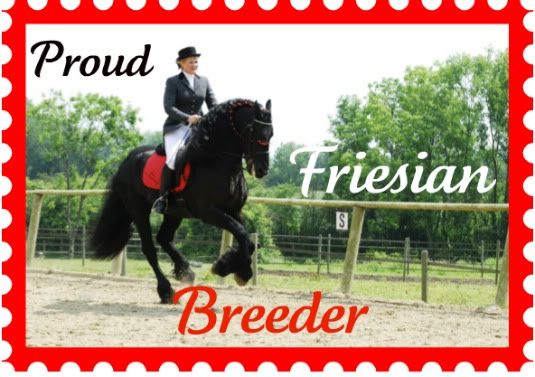 | ||||
Your title here Put your own text here to fill out the box. This is where you can put in images, glitter text, avatars and text. Use different fonts and write about yourself and your horses. You can use the howrseinfo ready made layouts for your personal profile page and also for your equestrian center profile. Remember not to put any personal information here and to stay safe on the web. Once you have generated your layout you can easily change the image and overwrite the text. If you want to it is easy to generate a whole new layout. If you get an error message when you save your presentation click on save again. If this still does not work generate a new layout and make sure you choose all the options. |
Your title here You can easily change your Howrse profile.
To go to your page use the following Howrse menu links - profile, my page. On the right hand side you will see the links to change your presentation. You can modify - change, reinitialize - start again or set out the display options you want - width and height of your presentation. As you have the HTML code for your layout you will need to change the edit mode BEFORE you paste your layout code. Over on the right hand side by the smiley faces is a green HTML mode edit button. Click on this before you paste your layout code and you will be taken to a new page. This shows the html edit mode page - notice that the Howrse edit icons at the top and the smiley faces have disappeared. Now you can paste your layout HTML code and save the presentation. If when you save your layout all you can see is code then you have pasted in the wrong place. You need to be in the correct HTML edit mode. |
|||
Your title here Put your own text here to fill out the box. This is where you can put in images, glitter text, avatars and text. Use different fonts and write about yourself and your horses. You can use the howrseinfo ready made layouts for your personal profile page and also for your equestrian center profile. Remember not to put any personal information here and to stay safe on the web. Once you have generated your layout you can easily change the image and overwrite the text. If you want to it is easy to generate a whole new layout. If you get an error message when you save your presentation click on save again. If this still does not work generate a new layout and make sure you choose all the options. |
||||
Layout courtesy of *C.heckerz* |
||||
For this layout use this HTML: <div align="center"><TABLE align="center" bgcolor="#FF0000" width="550">
<TBODY>
<TR>
<TD colSpan="5"> </TD>
</TR>
<TR>
<TD colSpan="5"><div align="center"><IMG src=http://i1186.photobucket.com/albums/z379/Abi_Apricot/hano.jpg width="510"></div></TD></TR>
<TR>
<TD colSpan="5"> </TD></TR>
<TR>
<TD width="15"> </TD>
<TD width="45%" bgcolor="#FFFFCC"><p align="center"><font face="Curlz MT" size="+3" color="#FF0000"><b>Your title here</b></font></p>
<div style="overflow:auto; height:200px; padding: 20px;"><font face="Arial" color="#33CCFF">Put your own text here to fill out the box. This is where you can put in images, glitter text, avatars and text. Use different fonts and write about yourself and your horses. You can use the ready made layouts for your personal profile page and also for your equestrian center profile. Remember not to put any personal information here and to stay safe on the web. Once you have generated your layout you can easily change the image and overwrite the text. If you want to it is easy to generate a whole new layout. If you get an error message when you save your presentation click on save again. If this still does not work generate a new layout and make sure you choose all the options.</FONT></DIV></TD>
<TD width="15"> </TD>
<TD bgcolor="#FFFFCC"><p align="center"><font face="Curlz MT" size="+3" color="#FF0000"><b>Your title here</b></font></p>
<div style="overflow:auto; height:200px; padding: 20px;"><font face="Arial" color="#33CCFF">You can easily change your Howrse profile.
To go to your page use the following Howrse menu links - profile, my page. On the right hand side you will see the links to change your presentation. You can modify - change, reinitialize - start again or set out the display options you want - width and height of your presentation. As you have the HTML code for your layout you will need to change the edit mode BEFORE you paste your layout code. Over on the right hand side by the smiley faces is a green HTML mode edit button. Click on this before you paste your layout code and you will be taken to a new page. This shows the html edit mode page - notice that the Howrse edit icons at the top and the smiley faces have disappeared. Now you can paste your layout HTML code and save the presentation. If when you save your layout all you can see is code then you have pasted in the wrong place. You need to be in the correct HTML edit mode.</FONT></DIV></TD>
<TD width="15"> </TD> </TR>
<TR>
<TD colSpan="5"> </TD></TR>
<TR>
<TD width="15"> </TD>
<TD colSpan="3" bgcolor="#FFFFCC"><p align="center"><font face="Curlz MT" size="+3" color="#FF0000"><b>Your title here</b></font></p>
<div style="overflow:auto; height:170px; padding: 20px;"><font face="Arial" color="#33CCFF">Put your own text here to fill out the box. This is where you can put in images, glitter text, avatars and text. Use different fonts and write about yourself and your horses. You can use the ready made layouts for your personal profile page and also for your equestrian center profile. Remember not to put any personal information here and to stay safe on the web. Once you have generated your layout you can easily change the image and overwrite the text. If you want to it is easy to generate a whole new layout. If you get an error message when you save your presentation click on save again. If this still does not work generate a new layout and make sure you choose all the options.</FONT></DIV></TD>
<TD width="15"> </TD> </TR>
<TR>
<TD colSpan="5"> </TD>
</TR>
<TR>
<TD> </TD>
<TD colSpan="3" bgcolor="#FFFFCC"><div align="center"><font face="Curlz MT" size="-1" color="#FF0000"><b>Layout courtesy of *C.heckerz* </b></font></div></td>
<td></td></TR>
<TR>
<TD colSpan="5"> </TD></TR>
</TBODY></TABLE></div>
 | ||||
Your title here Put your own text here to fill out the box. This is where you can put in images, glitter text, avatars and text. Use different fonts and write about yourself and your horses. You can use the ready made layouts for your personal profile page and also for your equestrian center profile. Remember not to put any personal information here and to stay safe on the web. Once you have generated your layout you can easily change the image and overwrite the text. If you want to it is easy to generate a whole new layout. If you get an error message when you save your presentation click on save again. If this still does not work generate a new layout and make sure you choose all the options. |
Your title here You can easily change your Howrse profile.
To go to your page use the following Howrse menu links - profile, my page. On the right hand side you will see the links to change your presentation. You can modify - change, reinitialize - start again or set out the display options you want - width and height of your presentation. As you have the HTML code for your layout you will need to change the edit mode BEFORE you paste your layout code. Over on the right hand side by the smiley faces is a green HTML mode edit button. Click on this before you paste your layout code and you will be taken to a new page. This shows the html edit mode page - notice that the Howrse edit icons at the top and the smiley faces have disappeared. Now you can paste your layout HTML code and save the presentation. If when you save your layout all you can see is code then you have pasted in the wrong place. You need to be in the correct HTML edit mode. |
|||
Your title here Put your own text here to fill out the box. This is where you can put in images, glitter text, avatars and text. Use different fonts and write about yourself and your horses. You can use the ready made layouts for your personal profile page and also for your equestrian center profile. Remember not to put any personal information here and to stay safe on the web. Once you have generated your layout you can easily change the image and overwrite the text. If you want to it is easy to generate a whole new layout. If you get an error message when you save your presentation click on save again. If this still does not work generate a new layout and make sure you choose all the options. |
||||
Layout Courtsy of *C.hekcerz* |
||||
